WhoCanProvider
Get booked for your
cleaningwork
WhoCan Provider is the app where you list your service, set your own price and get booking requests from people nearby. You accept the jobs you want, do the work, and are paid through the app.
HOW WHOCAN WORKS
A simple way to find local customers
WhoCan is a platform that connects people who need a service with independent providers near them. WhoCan Provider is the app for the provider side: you.
Your listing and booking tool
Create a service with a clear title, photos and your own price, then manage requests, chat and job status in one app.
People who work for themselves
Cleaners, handymen, lawn and car detailing providers, and anyone with a skill neighbors need.
A job or a salary
WhoCan does not employ you or guarantee income. You choose the work, and the work is yours.
What you need
iPhone or Android with the WhoCan Provider app.
One clear thing you do well, such as deep cleaning.
The location you can actually reach on time.
Clear photos help Requesters choose you.
How to use WhoCan Provider
From download to your first completed job.
Download and sign up
Install WhoCan Provider from the App Store or Google Play and create your account.
- Use the name and phone number Requesters can recognize
- Complete the verification the app asks for
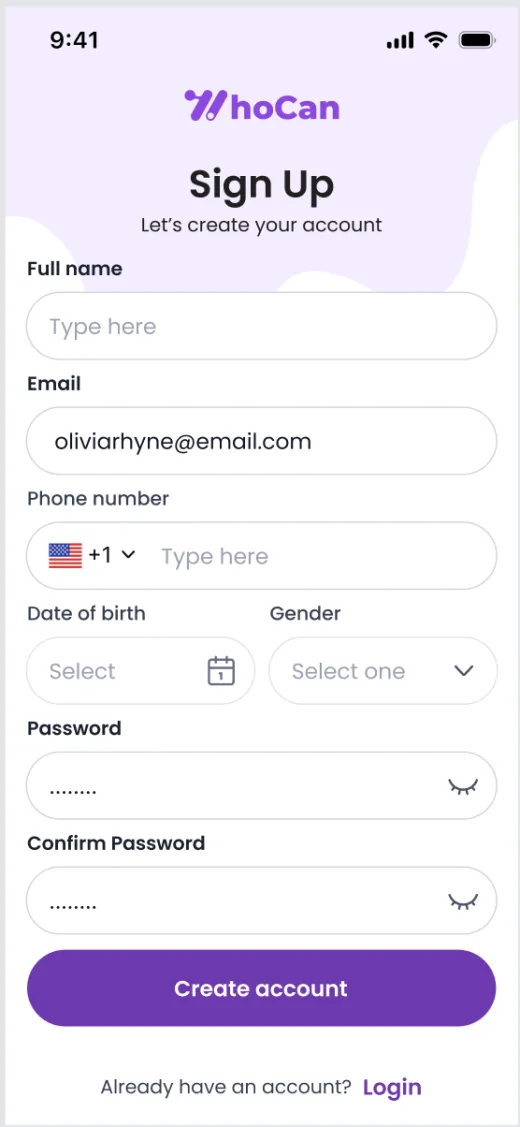 Sign up screen
Add your location
Tell the app where you work so nearby Requesters can find you.
- Choose the area you can reach on time
- Only list areas you can actually serve
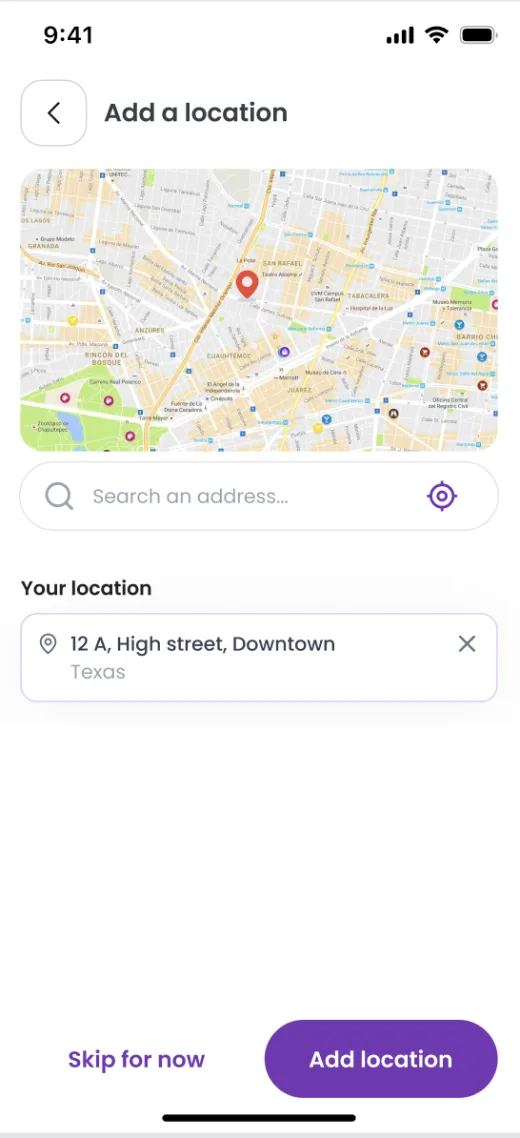 Add location
Create your service
This is your listing. Requesters compare it with others before they book.
- Pick the category and sub categories that fit
- Write a clear title that starts with "I will…"
- Add cover photos or a video of real work
- Create your price plans and say what each includes
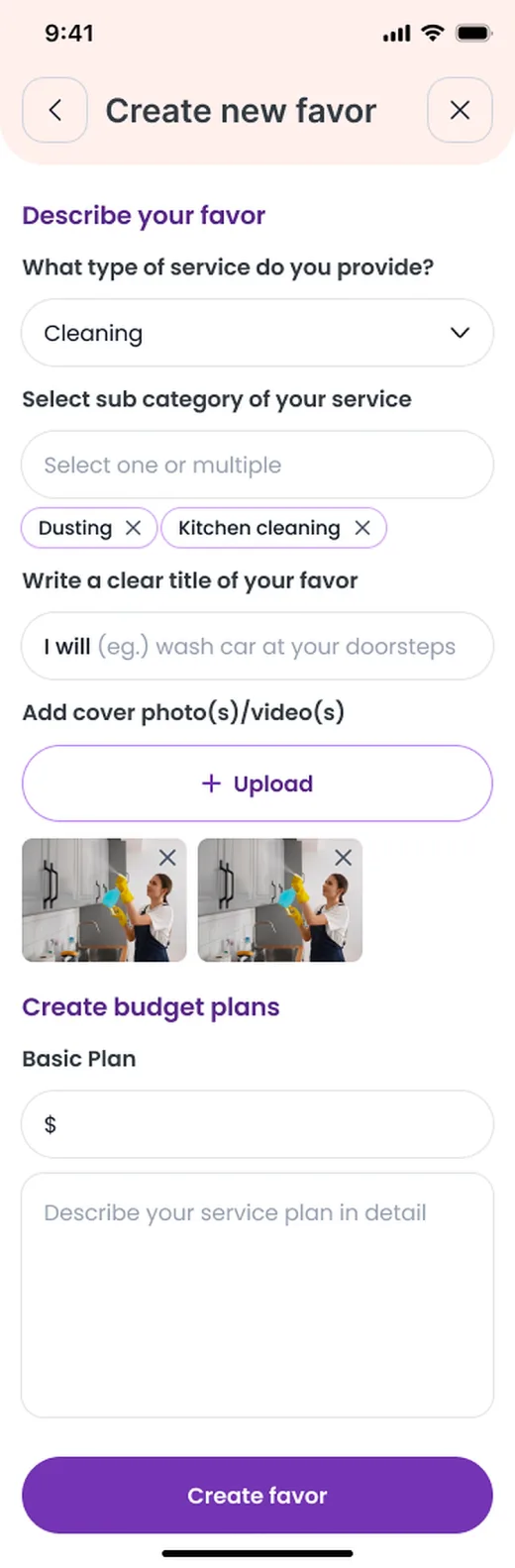 Create new favor
Review and accept requests
A Requester's request shows the job, the place, the date and what they need.
- Check the details and the location
- Chat with the Requester if something is unclear
- Accept what you can do well, decline the rest
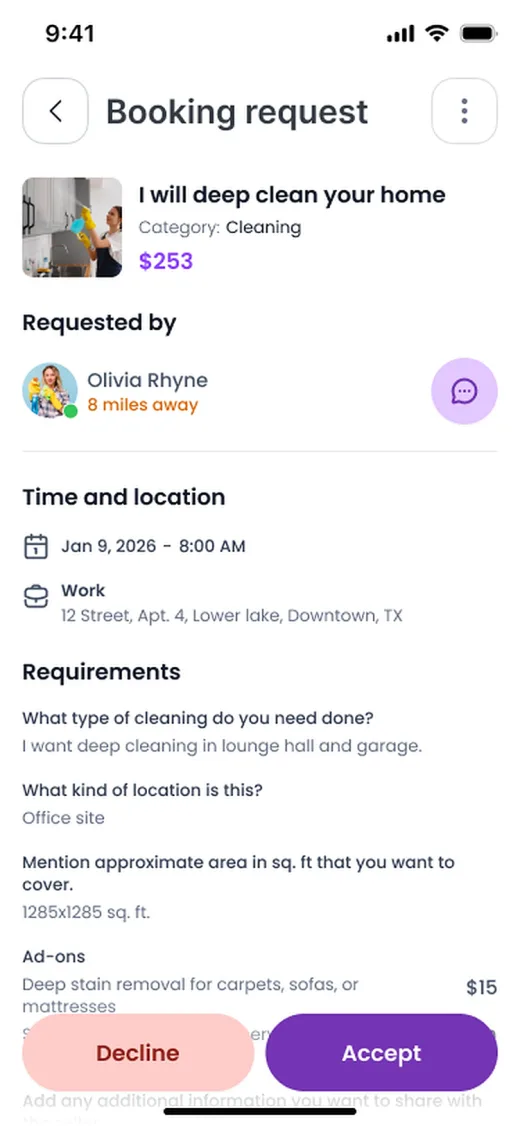 Booking request
Do the job and mark it completed
Track the favor in the app while you work.
- Arrive on time and follow what was agreed
- Raise any change in scope in the chat first
- Mark the favor completed when it is done, so the Requester can review and approve it
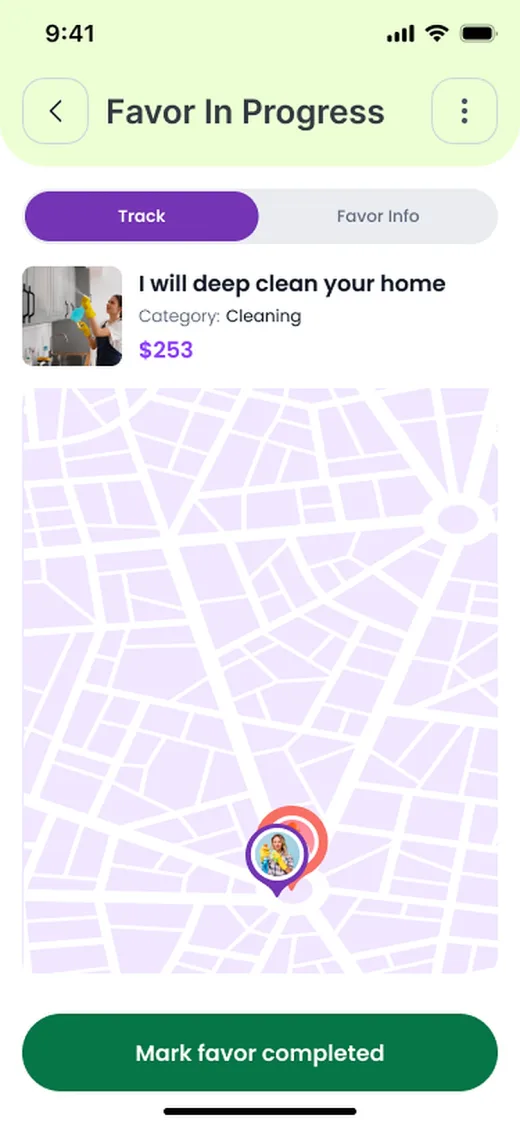 Favor in progress
Get paid after the Requester approves
The Requester pays through the app and the payment is held in escrow. Once you mark the job completed and the Requester approves it, the payment is released to you.
- No cash handling needed
- Payment is released after the Requester's approval
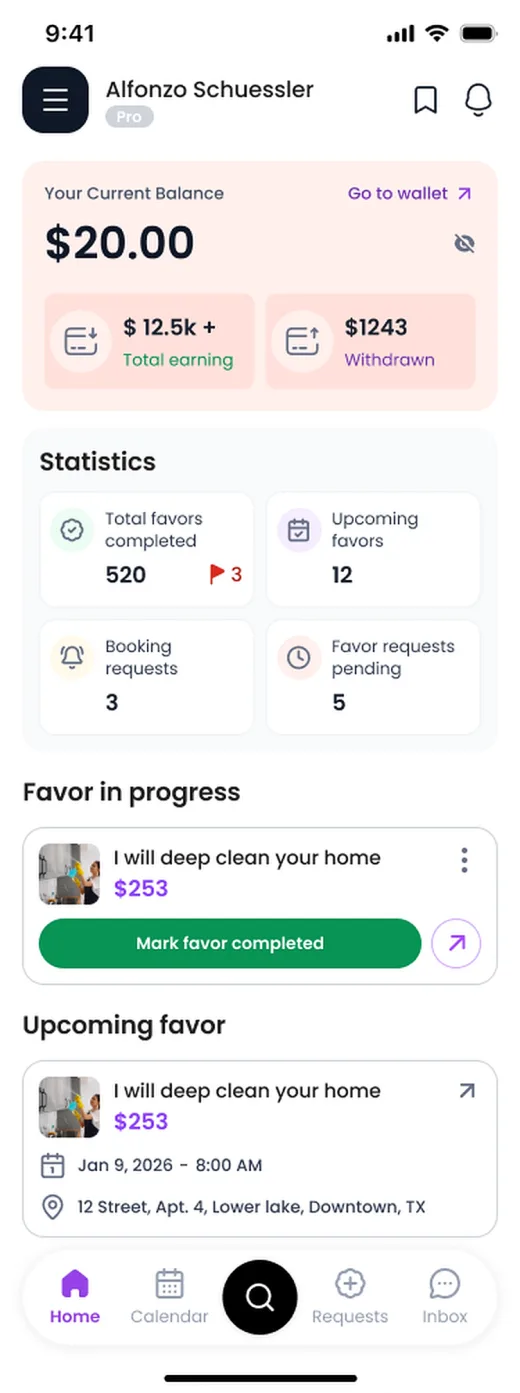 Provider home
Honest expectations
What WhoCan gives you
- A place to list your service and set your price
- Requests from local Requesters that you accept or decline
- In-app chat and job tracking
- Payments held in escrow and released after the Requester approves the job
What it is not
- Not a job or a salary
- No guaranteed income or number of bookings
- Not a license: you are responsible for any license your work needs
- WhoCan is a platform that connects you with Requesters
Questions providers ask
Ready to list your first service?
Download WhoCan Provider and set up in minutes.